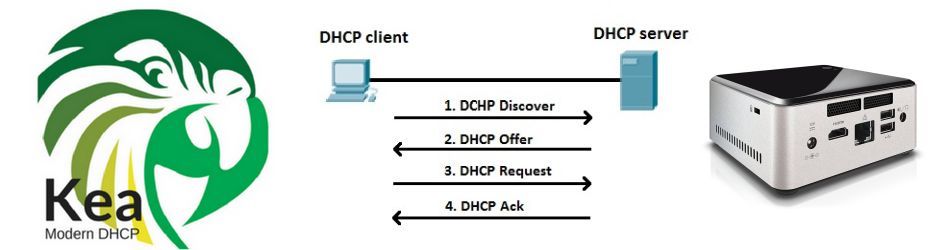
Instead of buying a standard router, I decided to build my own DHCP service from scratch so that every network function runs on its own dedicated machine. It was both a technical challenge and an exciting experiment in full control and customization.
The project runs on an Intel NUC DN2820FYK, powered by an Intel Celeron N2820 (2.4 GHz, dual-core) processor with a TDP of just 7.5 W. It’s not a powerhouse, but it’s designed for low energy consumption and silent, continuous operation. Ideal for a 24/7 home lab environment. I bought the unit second-hand and upgraded it for performance: the BIOS was updated, the original hard drive replaced with a Crucial BX500 240 GB SSD, and the DDR3 RAM expanded from 4 GB to 8 GB, giving this compact device a second life as a reliable network server.
Before deployment, I performed a burn-in and stress test using Novabench, Geekbench, Cinebench, and PCMark10, ensuring full stability and performance under sustained load.
On top of Debian 11 (Bullseye) Linux, I installed and configured Kea DHCP4, which automatically assigns IP addresses and network parameters such as routers, subnet masks, and DNS servers. I defined the subnet, DNS, and gateway settings, and mapped the MAC addresses of key machines in the network to fixed IPs. Watching the lease table fill up with connected devices was pure engineering satisfaction. It was fascinating to see the DHCP request and lease process in action, and how clients retain their IP addresses until their lease approaches expiration.
The server now runs as a systemd service, starting automatically at boot—clean, reliable, and fully under control. Interestingly, Meta (Facebook) was among the early adopters of Kea DHCP, a testament to its scalability and robustness.
Next step: setting up a redundant DHCP server for high availability, because every reliable network deserves a backup. I also plan to host the Kea DHCP instance inside a virtual machine on the same device running a Proxmox hypervisor, adding flexibility and isolation for future lab setups, and enabling easy snapshots and backups. the BIOS was updated, the original HDD hard drive replaced with a Crucial BX500 240 GB SSD, and the DDR3 RAM expanded from 4 GB to 8 GB, giving this compact device a second life as a reliable network server.
Before deployment, I performed a burn-in and stress test using Novabench, Geekbench, Cinebench, and PCMark10, ensuring full stability and performance under sustained load.
On top of Debian 11 (Bullseye) Linux, I installed and configured Kea DHCP4, which automatically assigns IP addresses and network parameters such as routers, subnet masks, and DNS servers. I configured the subnet, the DNS and gateway settings and mapped the MAC address of the most signifcant machines in the subnet to a fixed IP-adres. Watching the lease table fill up with connected devices was pure engineering satisfaction. It’s very interesting to see the machines in a network request a DHCP lease and the DHCP4 server handing the lease. It was also interesting to see that the machines keep their IP-address as long as they didn’t approach the end of their lease time.
The server now runs as a systemd service, starting automatically at boot. Clean, reliable, and fully under control. Interestingly, Meta (Facebook) was among the early adopters of Kea DHCP, a testament to its scalability and robustness.
Next step: setting up a redundant DHCP server for high availability, because every reliable network deserves a backup. I also plan to host the Kea DHCP instance inside a virtual machine on the same device running a Proxmox hypervisor, adding flexibility and isolation for future lab setups, as well as enabling easy snapshots and backups.