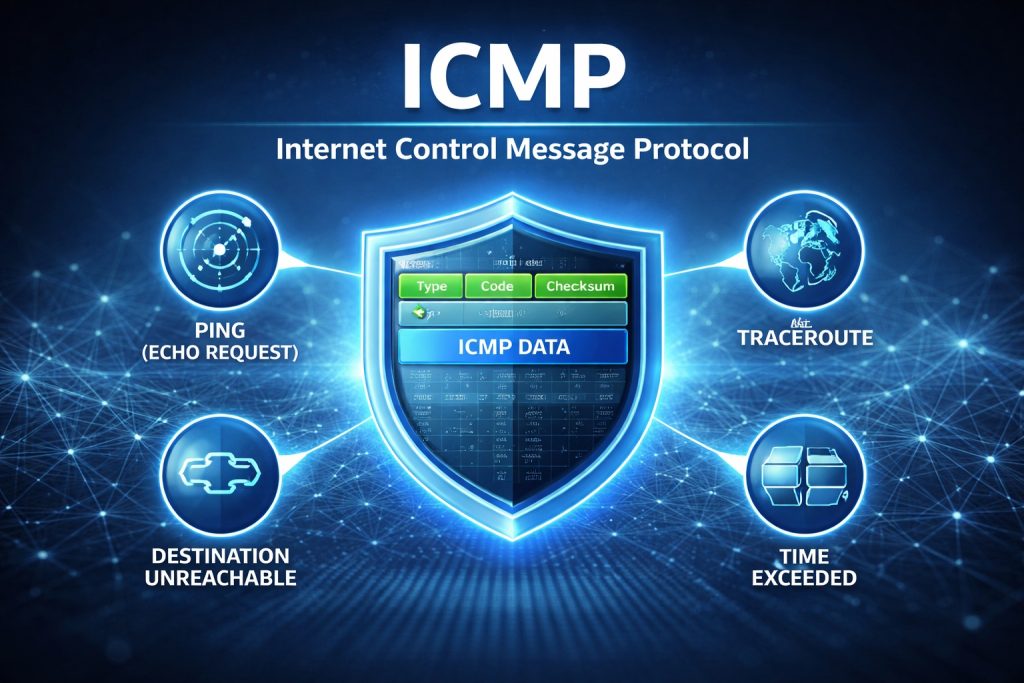
ICMP stands for Internet Control Message Protocol.
It is defined as part of the IP protocol suite and operates at the network layer.
Important distinction:
ICMP does not transport application data.
It transports control and error reporting messages related to IP packet delivery.
If IP is responsible for forwarding packets, ICMP is responsible for reporting what happened to them.
2. Why ICMP Exists
IP itself is a connectionless best effort protocol. It does not guarantee:
- Delivery
- Order
- Integrity
- Reachability
Without feedback, troubleshooting would be blind.
ICMP provides that feedback.
Typical use cases:
- Host unreachable
- Network unreachable
- TTL expired
- Fragmentation needed but DF flag set
- Echo request and reply
In short:
ICMP makes IP observable.
3. ICMP Message Structure
An ICMP packet is encapsulated inside an IP packet.
Structure overview:
- IP header
- ICMP header
- ICMP payload
The ICMP header contains:
- Type
- Code
- Checksum
- Additional fields depending on type
The Type field defines the category of message.
The Code field refines the meaning.
Example:
Type 3 = Destination Unreachable
Code 1 = Host Unreachable
Code 3 = Port Unreachable
This granularity is extremely useful in network diagnostics.
4. ICMP and Ping
The most famous ICMP use case is ping.
Ping uses:
- Type 8 → Echo Request
- Type 0 → Echo Reply
When you send:
ping 8.8.8.8
You are generating ICMP Echo Requests and waiting for Echo Replies.
This allows you to measure:
- Reachability
- Round trip time
- Packet loss
For verification engineers and network testers, this is often the first health check.
But ping is only the visible part of ICMP.
5. ICMP and Traceroute
Traceroute works by manipulating the TTL field in IP packets.
Process:
- Send packet with TTL = 1
- First router decrements TTL to 0
- Router drops packet
- Router sends ICMP Type 11 (Time Exceeded)
Then TTL = 2, 3, 4, etc.
Each router reveals itself via ICMP.
Without ICMP, route discovery would not be possible in this way.
6. ICMP and Fragmentation Control
One of the most important operational use cases:
Type 3 Code 4
“Fragmentation needed but DF set”
If a router encounters a packet larger than the MTU and the Don’t Fragment flag is set, it sends this ICMP message.
This enables Path MTU Discovery.
In OT and regulated environments, MTU misconfigurations can cause subtle communication failures. ICMP is often the hidden mechanism that reveals the issue.
7. ICMP in IPv4 vs ICMPv6
ICMP is mandatory in IPv6.
ICMPv6 is not just for diagnostics. It is fundamental to:
- Neighbor Discovery
- Router Advertisement
- Stateless Address Autoconfiguration
Blocking ICMPv6 incorrectly can completely break IPv6 networking.
In security design, this is often misunderstood.
8. Security Considerations
ICMP is frequently filtered by firewalls.
Reasons:
- Ping sweeps
- Network mapping
- ICMP flood attacks
However, fully blocking ICMP is bad engineering.
Over filtering can:
- Break Path MTU Discovery
- Cause performance degradation
- Make troubleshooting impossible
Best practice:
Allow necessary ICMP types.
Rate limit where required.
Monitor abnormal ICMP patterns.
In regulated environments, availability and observability are as important as confidentiality.
9. ICMP in OT and Industrial Environments
In industrial and OT networks:
- ICMP helps verify connectivity between PLCs and SCADA systems
- ICMP assists in diagnosing routing issues in segmented networks
- ICMP supports controlled troubleshooting without deep application interference
However, ICMP must be carefully governed.
Blindly allowing all ICMP in a critical infrastructure environment is poor design.
Blindly blocking it is worse.
Good engineering means controlled visibility.
10. Practical Engineering Insight
If you want to deeply understand your network:
- Capture ICMP with Wireshark
- Observe Type and Code values
- Test Path MTU
- Simulate unreachable hosts
ICMP tells you how your network behaves under stress, misconfiguration, and failure.