Still Useful After More Than a Decade?
Context and intent
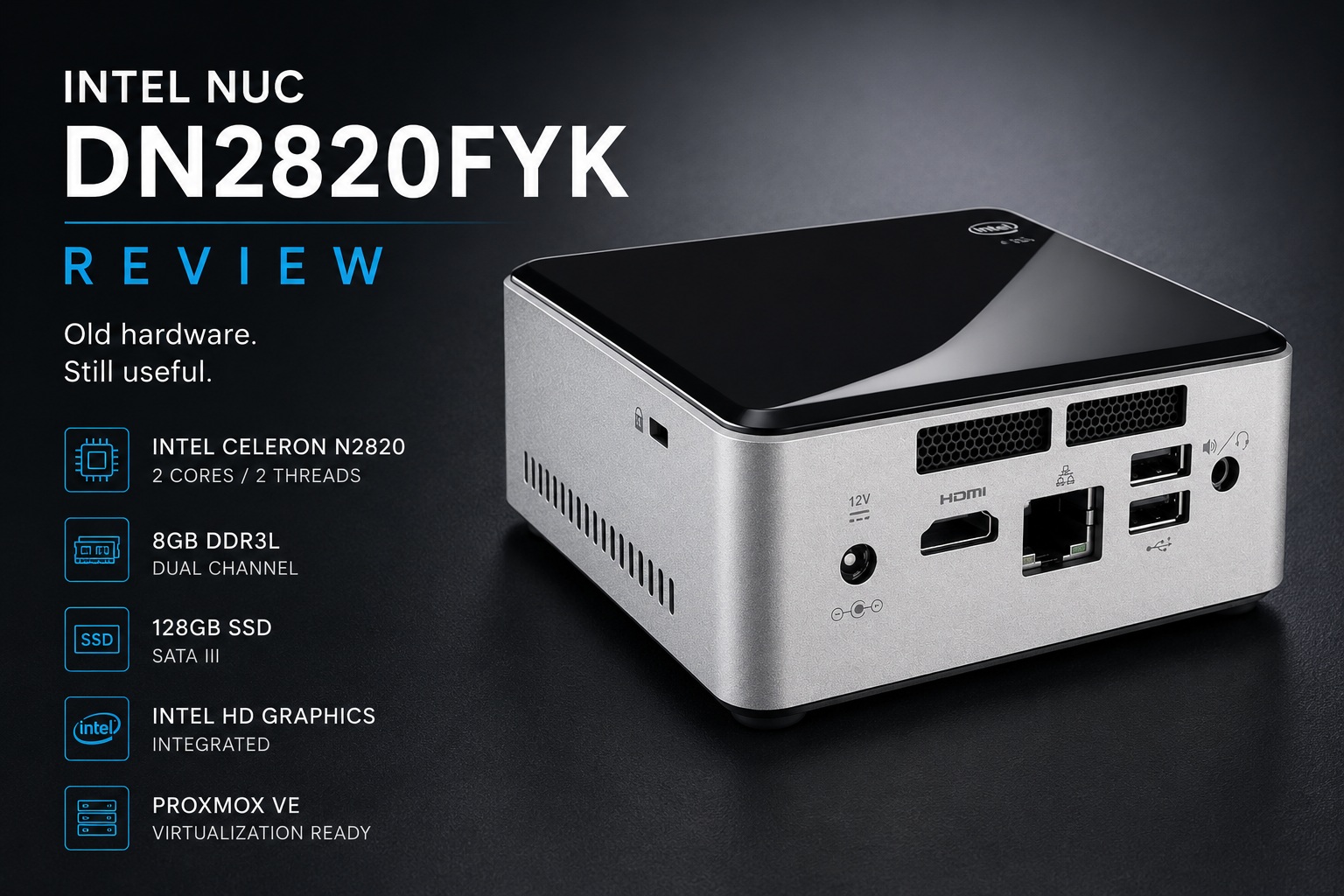
This Intel NUC DN2820FYK was purchased second hand through an auction as part of a lot of seven units, at roughly 40 euro per NUC, and deployed as a low cost Proxmox hypervisor. The objective was to determine whether a 2013 era mini PC could still provide useful infrastructure services in a modern homelab environment for a very cheap price and at low power consumption. Because a DHCP server is critical infrastructure, the hypervisor is intentionally kept almost empty. The preferred setup is to run only the DHCP server VM on this host. That keeps the role isolated, reduces resource contention, and limits the risk that unrelated workloads affect network availability. Because a DHCP server does not require much computing power, it also avoids spending 250 euro on a new N100 mini PC for a role that does not need it. This unit was upgraded from 4 GB to 8 GB DDR3L RAM and from a 512 GB HDD to a 128 GB SSD SATA III. The SSD improves responsiveness and reliability, while 8 GB RAM gives Proxmox enough breathing room for a single lightweight VM.
This review is based on one physical machine that has been benchmarked, measured, and operated in production. The conclusions reflect actual usage rather than manufacturer specifications.
Hardware overview
CPU: Intel Celeron N2820, Bay Trail, 2 cores, 2 threads, 7.5 W TDP
RAM: 8 GB DDR3L
Storage: Crucial SSD
Graphics: Intel HD Graphics
Operating System: Proxmox VE
Role: Hypervisor running DHCP services
Build quality and design
The DN2820FYK belongs to an era when Intel was aggressively experimenting with ultra compact PCs. The enclosure is small, lightweight, and functional. Construction quality is solid despite the age of the platform.
The system uses an external power supply and generates very little heat. Cooling remains unobtrusive during normal operation. Expansion possibilities are extremely limited by modern standards. Memory is capped at 8 GB and CPU upgrades are not possible.
Nothing about the design feels modern, but nothing feels fragile either.
Benchmark results
All benchmark results below were executed on this exact unit.
Synthetic benchmark summary
| Benchmark | Result |
|---|---|
| Novabench Overall | 260 |
| Novabench CPU | 57 |
| Novabench GPU | 0 |
| Novabench RAM | 148 |
| Novabench Disk | 56 |
| Geekbench CPU Single | 183 |
| Geekbench CPU Multi | 316 |
| PCMark 10 Overall | 859 |
| PCMark 10 Essentials | 2685 |
| PCMark 10 Productivity | 1739 |
| PCMark 10 Digital Content Creation | 370 |
Storage performance
CrystalDiskMark 8.0.6 results:
| Test | Read MB/s | Write MB/s |
|---|---|---|
| Sequential SEQ1 | 283.96 | 242.04 |
| SEQ1M Q1T1 | 274.13 | 259.87 |
| Random 4K Q32T1 | 77.56 | 67.32 |
| Random 4K Q1T1 | 21.98 | 46.31 |
What the numbers actually say
The benchmark results confirm that this platform belongs to a very different computing era.
Single thread performance is limited by current standards. Multi thread performance offers little improvement because only two cores are available. Modern workloads quickly expose the limitations of the Bay Trail architecture.
The storage subsystem performs better than the CPU. The SSD provides enough responsiveness to prevent the machine from feeling completely unusable. Administrative tasks, web interfaces, and lightweight services remain reasonably responsive.
PCMark results show a system that can still perform basic computing tasks but has very little reserve capacity. Any workload involving media processing, software compilation, virtualization density, or modern productivity applications will quickly exceed the capabilities of the hardware.
Compatibility limitations
The age of the processor introduces practical limitations beyond raw performance.
Several modern benchmark applications either fail to launch or terminate immediately because the processor lacks instruction set extensions expected by contemporary software. Cinebench 2026 could not be executed due to missing AVX support. Modern GPU benchmarks such as Time Spy were also incompatible.
The limitation also appears during operating system installation. Recent Ubuntu versions (22,24) may fail on this platform because the processor lacks certain instruction set support expected by newer software components. Debian remains a better fit. Since Proxmox VE is Debian based, the machine can still be used effectively as a lightweight Proxmox host.
This is an important distinction. The challenge is not only that the hardware is slow. Increasingly, software assumes capabilities that simply do not exist on this platform.
Power usage and thermals
Power efficiency remains one of the strongest aspects of the system.
The Intel Celeron N2820 was designed for low power operation and continues to perform well in this regard. The platform consumes very little electricity, remains cool under sustained operation, and is well suited for continuous service.
For infrastructure workloads that spend most of their time waiting rather than computing, power efficiency is often more important than benchmark scores..
Why Proxmox?
Debian could have been installed directly on the bare metal, but running it as a VM on a Proxmox hypervisor offers several advantages. The main reasons are recovery and monitoring. Proxmox makes it very easy to create backups and restore complete VM images. This is a significant benefit for infrastructure services, as a full system restore can be performed remotely from a NAS. A restore using UrBackup was also tested, but that process required physically connecting a USB stick. As a result, it is less suitable for remote recovery scenarios where no physical access to the machine is available. With Proxmox, restoring the Debian VM from the NAS is straightforward and can be completed entirely remotely. Proxmox also provides excellent tools to monitor hardware resources. For this use case, Proxmox is the more practical and resilient solution.
Suitable use cases
Good fit
- Lightweight Proxmox hosts
- DHCP servers
- DNS servers
- Monitoring systems
- Small utility servers
- Learning environments
Poor fit
- Desktop replacement
- Windows 11 deployments
- Modern virtualization workloads
- Development environments
- Media processing
- Container dense workloads
- Anything requiring AVX instructions
Verdict
Measured performance confirms that the Intel NUC DN2820FYK is no longer a general purpose computer. The hardware is simply too old and too limited for modern desktop expectations.
However, that does not make it useless.
For infrastructure services with predictable and lightweight workloads, the system remains surprisingly functional. The combination of low power consumption, silent operation, compact size, and low acquisition cost creates a niche where the platform can still provide value.
As a Proxmox hypervisor running lightweight services, it works. As a modern desktop PC, it does not.
The benchmark results clearly demonstrate both realities. This machine survives not because it is powerful, but because certain infrastructure workloads require remarkably little performance when reliability and efficiency matter more than speed.