Give Your Linux Desktop a Fresh Look
A fresh installation of Debian Cinnamon is clean, stable, and professional. However, the default wallpaper remains unchanged every time you log in. After a while the desktop can start to feel a little repetitive.
One of the easiest ways to make your Linux desktop more enjoyable is to install Variety. Variety automatically changes your wallpaper at regular intervals and can download beautiful images from online sources. Every login feels a little different, making your workspace more inspiring without affecting system performance.
In this tutorial we will install Variety on Debian Trixie with the Cinnamon desktop.
Step 1
Open a terminal.
You can start the terminal from the application menu or by pressing Ctrl + Alt + T.
Step 2
Update the package list.
sudo apt update
It is always good practice to refresh the package information before installing new software.
Step 3
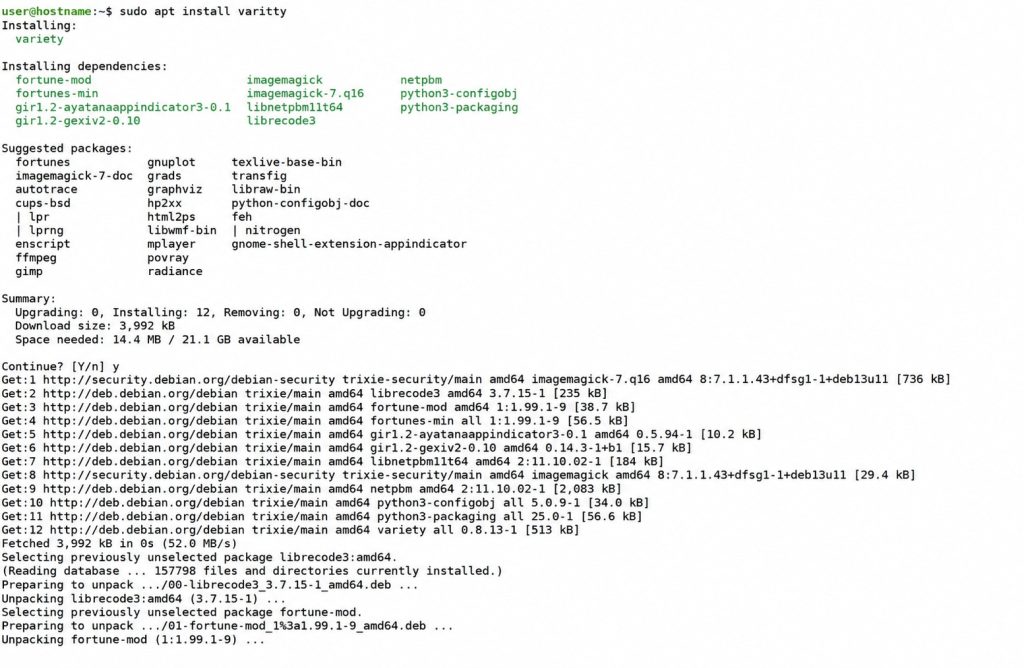
Install Variety.
sudo apt install variety
Debian will download and install the required packages. It only needs some seconds to install.
Step 4
Start Variety.
Open the application menu and search for Variety.
Launch the application.
The first time it starts, Variety will guide you through a short configuration wizard.
Step 5
Choose your wallpaper sources.
Variety supports several image sources, including:
- Local folders
- Unsplash
- Wikimedia Commons
- NASA
- Bing wallpapers
- Flickr
You can enable only the sources you prefer. My favorite is Bing wallpapers.
If you already have a collection of wallpapers, simply add the folder containing your images.
Step 6
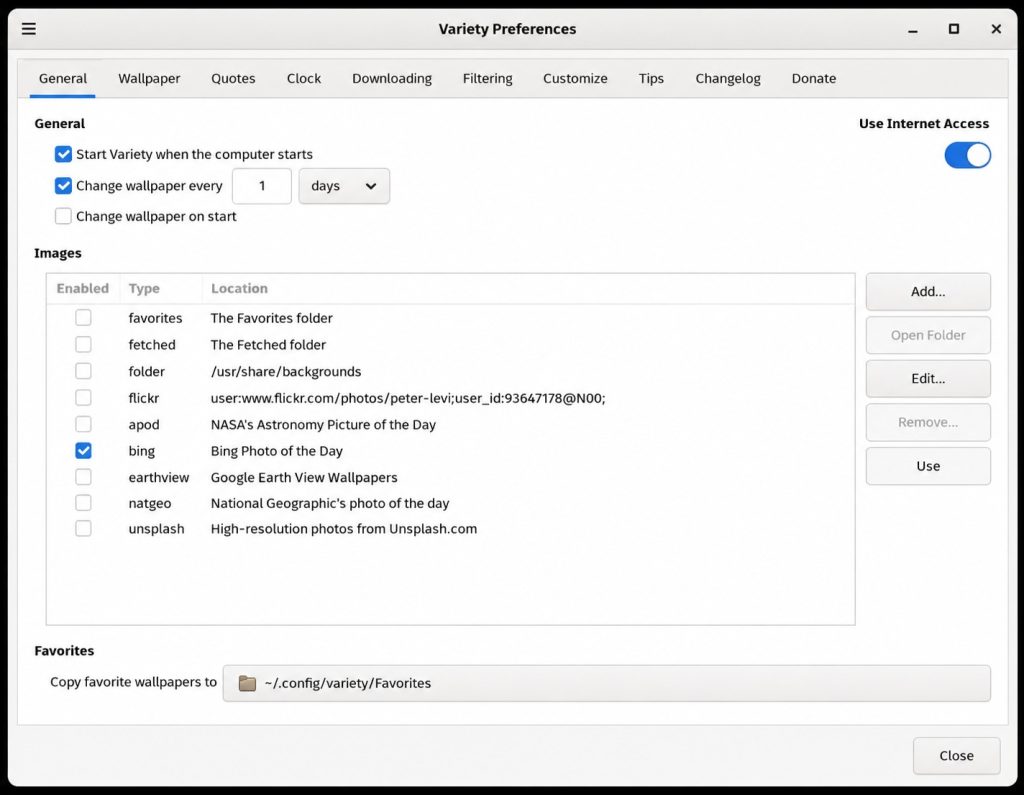
Configure the wallpaper interval.
One of the nicest features of Variety is automatic wallpaper rotation.
Popular choices include:
- Every 10 minutes
- Every 30 minutes
- Every hour
- Every day
Choose an interval that matches your personal preference. It’s interesting when you install variety for the first time to choose Every 10 seconds to see it actually doing something and then change it back to your personal preference.
Step 7
Start Variety automatically
Open the Variety preferences and enable automatic startup.
This ensures that the wallpaper rotation begins every time you log in.
Additional features
Variety offers many useful options besides changing wallpapers.
Some of the available features include:
- Random wallpaper selection
- Clock overlays
- Quote overlays
- Image history
- Favorite wallpapers
- Manual next and previous wallpaper shortcuts
- Automatic downloading of new images
You can keep the configuration simple or explore these additional features later.
Why I use Variety
I install Variety on almost every Debian system that I use.
Debian itself is an excellent operating system, but the default wallpaper stays the same day after day. Changing the wallpaper automatically gives the desktop a much more lively appearance. Every time I unlock my computer there is something new to look at, which makes long development sessions feel a little more enjoyable.
It is a small improvement, but one that noticeably enhances the overall desktop experience.
Conclusion
Variety is a lightweight application that adds a refreshing touch to any Debian Cinnamon installation. Installation only takes a minute, yet it makes the desktop feel much more dynamic and personal.
If you spend many hours behind your computer writing code, testing software, or managing servers, a rotating collection of high quality wallpapers is a simple way to make your workspace a little more inspiring.