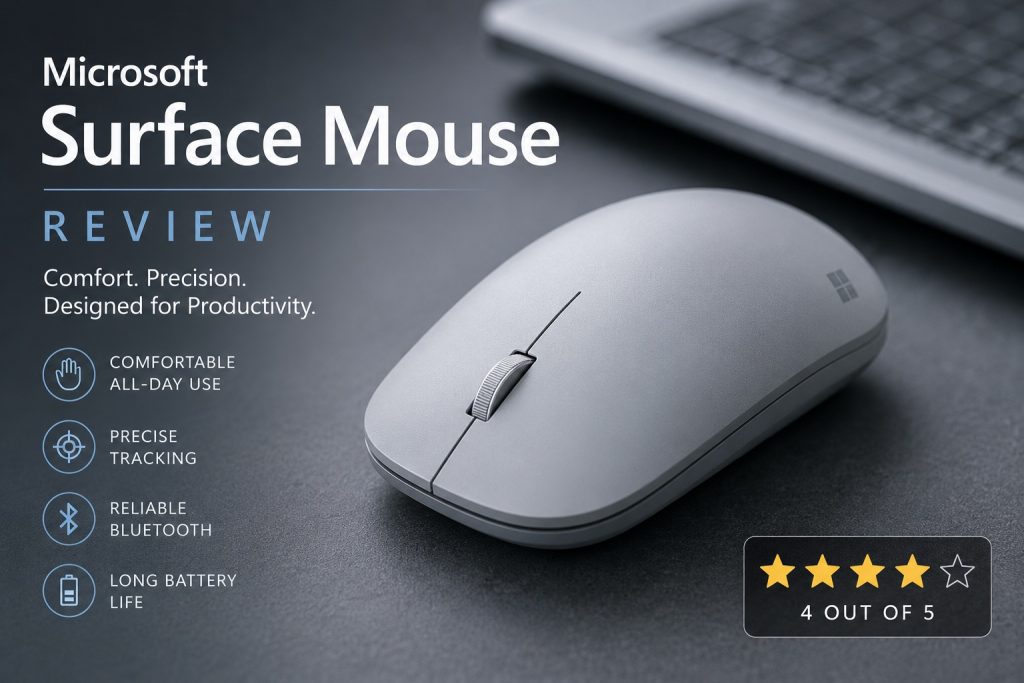
Rating: 4 out of 5
The Microsoft Surface Mouse is one of those products that proves a mouse doesn’t need an exotic design, dozens of buttons or extreme specifications to be enjoyable. I’ve used several units of this model over the years, and despite some reliability problems, it remains one of my favourite mice because of its shape, handling and accuracy. The model reviewed here is the grey Microsoft Surface Mouse, model 1741, also associated with product number 3YR 00002.
At the time of writing, the Microsoft Surface Mouse was available from Amazon.de for €49.60 including VAT.
Design and Build Quality
The first thing you notice is the minimalist design. The Surface Mouse matches Microsoft’s Surface product line and looks professional. The grey finish has a premium feel and doesn’t attract fingerprints too easily, and the construction is smooth and refined, with no unnecessary visual elements..
Its dimensions are :
- Height: 3.38 cm
- Width: 6.42 cm
- Length: 11.52 cm
- Weight with batteries: approximately 90.9 grams
These measurements make it a relatively compact mouse, but it never feels too small in my hand. The low profile, rounded back and balanced shape make it easy to live with day to day.
Comfort and Ergonomics
Comfort is the main reason I keep using this mouse. The shape fits my hand naturally, and it’s easy to control without needing a tight grip. The low profile lets my hand rest in a relaxed position during long sessions. I use it for programming, software testing, documentation, web browsing, spreadsheets and general office work, and it stays pleasant to use even after several hours. Microsoft doesn’t market it as a specialised ergonomic mouse, but I personally find the ergonomics very good — the dimensions, weight and shape all work well together.
Tracking and Accuracy
The Surface Mouse uses a sensor resolution of 1000 DPI. That’s not a gaming spec, but it’s more than sufficient for productivity work. Cursor movement feels accurate, predictable and stable, and small movements are easy to control — useful when selecting text, editing documents, working with spreadsheets or navigating software interfaces. For office work, development and general computer use, the tracking performance is excellent.
Buttons and Scroll Wheel
The left and right buttons have a pleasant click, they are easy to press without feeling too light or too heavy. The vertical scroll wheel is precise and well-damped, making it satisfying to scroll through long documents, web pages and source code. There are no side buttons or extra programmable controls, so anyone who relies on a lot of shortcuts may want a different model, but for standard productivity use, the simplicity is part of the appeal.
Bluetooth Connectivity
The mouse uses Bluetooth Low Energy 4.0. This means it connects directly to a compatible laptop or computer without requiring a separate USB receiver. This is especially useful on modern laptops with a limited number of USB ports. Pairing is normally straightforward, and the connection has been stable during daily use. Once connected, the mouse reconnects automatically when the computer starts. The absence of a USB dongle also makes the mouse convenient for travel.
Battery System
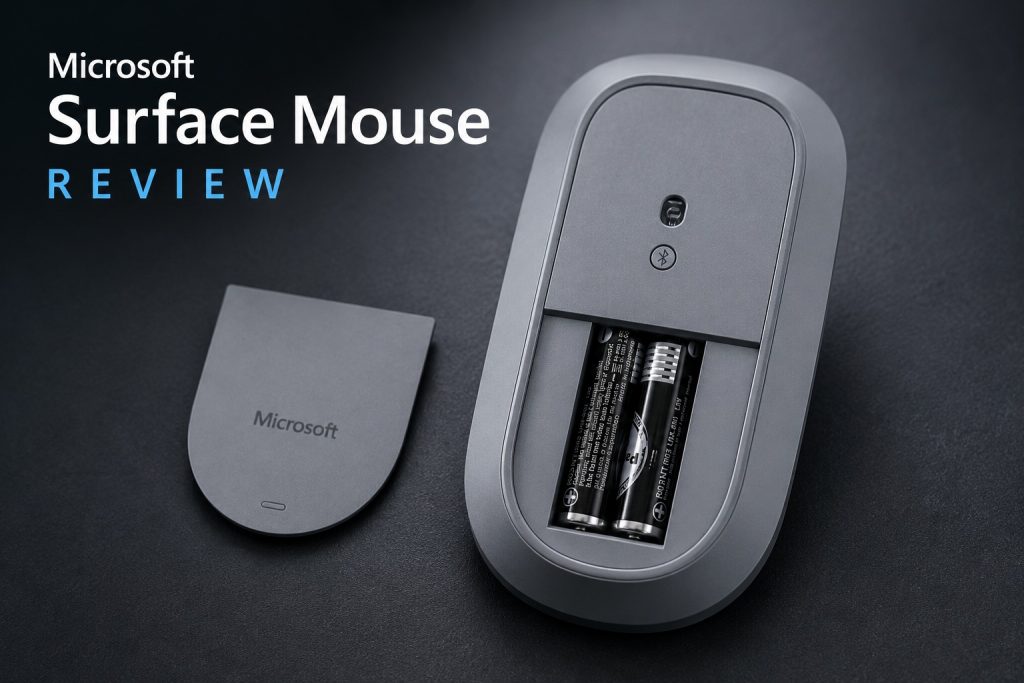
The Surface Mouse uses two AAA batteries. Battery replacement is simple, and the batteries are easy to find in almost any shop. The mouse has good battery life, and I do not need to replace the batteries frequently. I personally prefer replaceable batteries in a productivity mouse because there is no need to interrupt work to recharge it.
Daily Use
In daily use, the Surface Mouse feels refined and effortless. It’s especially well suited for office work, software development, testing, writing, travelling and working from different locations.
Reliability
Unfortunately this is the weakest point. I have owned several Surface Mice over the years and multiple units eventually developed defects after 1 year of use that required warranty replacement or refund. The defect was that not every mouse click of the left mouse button resulted in a response from the computer. Out of the 6 unites that I owned, 50% failed within warranty. While I appreciate that Microsoft honoured the warranty, I experienced more failures than I would expect from a premium office mouse. Because of these repeated issues, I cannot give the mouse full marks for reliability.
Microsoft Customer Service
Microsoft ultimately respected the warranty, but the customer service procedure was far too complicated. Processing one claim took approximately two hours of administration and required around six emails. I also had to take photographs of the mouse, locate the serial number and manually provide several product details.
The support procedure included:
- Contacting Microsoft Customer Service
- Explaining the technical problem
- Providing purchase information
- Taking photographs of the mouse
- Locating and writing down the serial number
- Exchanging several emails
- Waiting for approval
- Organising the return or refund
The final outcome was acceptable, but the process required much more time and effort than expected for a relatively inexpensive computer accessory.
Product Information
- Brand: Microsoft
- Product: Surface Mouse
- Model: 1741
- Product reference: 3YR 00002
- Colour: Grey
- Sensor resolution: 1000 DPI
- Connection: Bluetooth Low Energy 4.0
- Batteries: Two AAA batteries
- Weight with batteries: approximately 90.9 grams
- Length: 11.52 cm
- Width: 6.42 cm
- Height: 3.38 cm
- Launch date: 18 January 2017
- FCC ID: C3K1741
- IC Canada ID: 3048A 1741
Pros
- Excellent comfort for long working sessions
- Beautiful minimalist design
- Very accurate and predictable tracking
- Smooth handling
- Reliable Bluetooth connectivity
- Good battery life
- Premium look and feel
Cons
- I experienced multiple hardware failures over several years
- Warranty process is unnecessarily time consuming
- Customer service requires significant administrative effort
Final Verdict
I continue to appreciate the Microsoft Surface Mouse for its excellent comfort, precise handling and refined design. At approximately €50, it offers good value for users who spend many hours working at a computer. The overall experience during everyday use is excellent, particularly for office work, browsing and other productivity tasks. Its main weakness is its long term durability, combined with a warranty process that could be more straightforward. Improvements in these areas would make it one of the best productivity mice available. Despite these concerns, I can confidently recommend the Microsoft Surface Mouse to users who prioritise comfort, precision and elegant design.