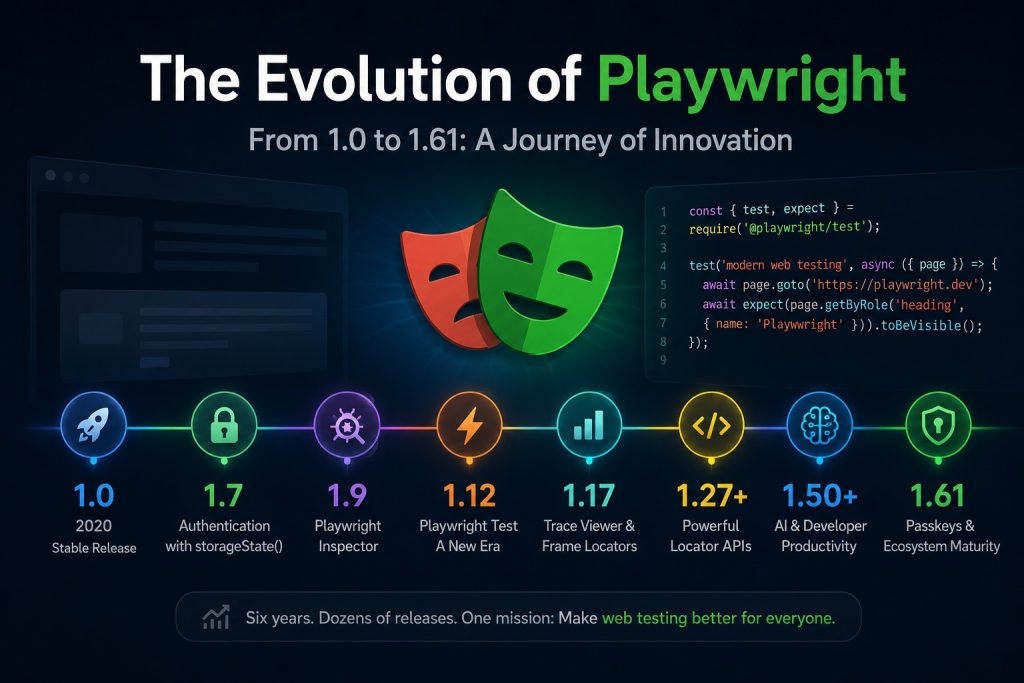
Introduction
When Microsoft released Playwright 1.0 in 2020, it was already an impressive browser automation framework. Unlike Selenium, Playwright was designed from the ground up for modern web applications, offering automatic waiting, multiple browser engines, and a consistent API.
Fast forward to Playwright 1.61, and the framework has evolved far beyond browser automation. It now includes a complete testing ecosystem with advanced debugging tools, visual testing, API testing, authentication management, reporting, AI powered development tools, and enterprise grade reliability.
Let’s look at how Playwright evolved over the years.
What happened to Playwright 1.0?
Version 1.0 was the first stable production release.
Its core philosophy was already clear:
- Chromium, Firefox and WebKit support
- Auto waiting
- Multiple browser contexts
- Cross platform
- JavaScript, Python, Java and .NET support
- Modern asynchronous API
Unlike Selenium, Playwright controlled browsers through their native automation protocols instead of the WebDriver standard. This made tests faster and significantly more reliable. (Playwright)
Version 1.7: Authentication becomes easy
One of the first major milestones arrived with version 1.7.
Highlights included:
- storageState()
- Better CSS selectors
- Java SDK reaches feature parity
- Apple Silicon support
- New documentation website
The introduction of storageState() completely changed how authenticated tests were written. Today almost every professional Playwright framework uses this feature. (Playwright)
Version 1.9: Playwright Inspector
The Playwright Inspector introduced an interactive debugging experience.
Developers could:
- pause tests
- inspect locators
- execute commands step by step
- debug visually
This significantly improved developer productivity. (Playwright)
Version 1.10: Stable Java support
Large enterprise companies using Java could now fully adopt Playwright.
Support for Chrome and Edge channels also made testing against production browsers much easier. (Playwright)
Version 1.12: Playwright Test changes everything
This may be the most important release in Playwright history.
Instead of depending on Jest or Mocha, Microsoft introduced its own test runner.
Playwright Test added:
- parallel execution
- retries
- fixtures
- projects
- reporting
- configuration
- built in assertions
At this point Playwright became far more than a browser automation library. It became a complete testing platform. (Playwright)
Version 1.17: Frame locators and Trace Viewer
Testing applications with iframes became dramatically easier.
The online Trace Viewer also appeared, allowing developers to investigate failing tests after execution.
Many teams consider Trace Viewer one of Playwright’s killer features. (Playwright)
Versions 1.20 to 1.35: Growing into an ecosystem
During these releases Microsoft focused on improving the entire developer experience.
New capabilities included:
- better screenshots
- improved assertions
- API testing
- UI Mode
- Trace Viewer improvements
- browser management
- masking sensitive data
- Docker improvements
- better CI support
Rather than introducing one revolutionary feature, these versions continuously refined the framework. (Playwright)
Version 1.38: Browser installation changes
One notable breaking change occurred in version 1.38.
Playwright stopped automatically downloading browser binaries during package installation. Developers now explicitly run:
npx playwright install
Although this required small adjustments in CI pipelines, it gave developers greater control over browser management. (Playwright)
Versions 1.40 to 1.55: Enterprise maturity
By this stage Playwright had become the default recommendation for many QA teams.
Major improvements included:
- better reporting
- improved UI Mode
- VS Code integration
- faster screenshots
- better network inspection
- improved locator APIs
- Debian 13 support
- richer annotations
The framework felt increasingly polished rather than experimental. (Playwright)
Versions 1.56 to 1.61: The AI era
Recent releases show how Playwright is adapting to AI assisted software development.
Highlights include:
- Playwright Test Agents
- Speedboard
- Timeline reporting
- HAR tracing improvements
- drag and drop APIs
- passkey (WebAuthn) testing
Support for virtual passkeys is particularly important as more websites replace passwords with modern authentication methods. (Playwright)
How Playwright changed
If you compare Playwright 1.0 with 1.61, the biggest evolution is not simply the number of APIs.
The framework evolved from:
- a browser automation library
into
- a complete testing platform.
Today Playwright provides:
- browser automation
- API testing
- visual testing
- authentication management
- tracing
- debugging
- reporting
- code generation
- UI Mode
- AI assisted test development
- enterprise CI integration
Very few testing frameworks offer all these capabilities in a single package. (Playwright)
Conclusion
Playwright has evolved remarkably since its first stable release. Early versions focused on reliable browser automation and cross browser compatibility. Later releases introduced powerful testing features such as Playwright Test, Trace Viewer, UI Mode, advanced reporting, and authentication management. More recent versions embrace AI assisted development and modern authentication technologies such as passkeys.
Looking back from version 1.61, it is clear that Playwright has grown into far more than a browser automation library. It has become a complete end to end testing ecosystem that continues to set the standard for modern web testing. (Playwright)