Introduction
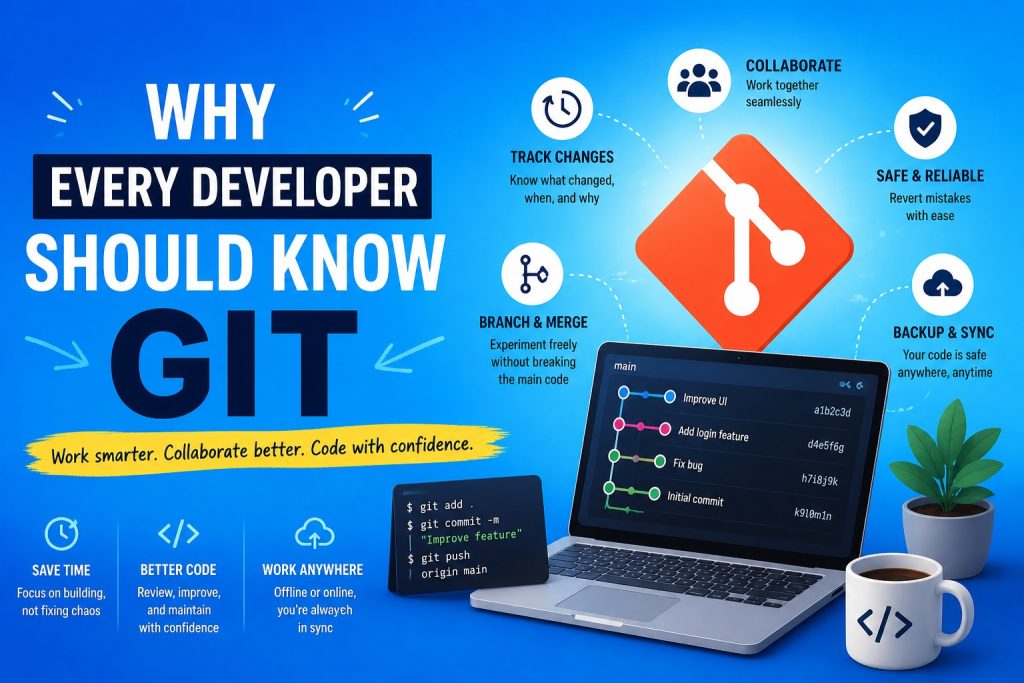
If you are learning software development, software testing, DevOps, or automation, Git is one of the first technologies you should master. It has become the standard version control system used by millions of developers worldwide. Whether you work alone on a personal project or collaborate with hundreds of engineers across multiple countries, Git makes software development safer, faster, and much more organized.
This article explains why Git was created, the problems it solves, its fascinating history, and the most popular cloud platforms that help developers collaborate.
What is Git?
Git is a distributed version control system. It records every change made to your project so you can track its complete history over time.
Think of Git as a time machine for your source code. Every important milestone can be saved as a snapshot. If something goes wrong, you can easily return to an earlier version.
Unlike simply copying project folders such as Project Final, Project Final New, or Project Final Really Final, Git provides a structured and reliable way to manage every change.
The Problems Git Solves
Before version control systems became common, software development was often chaotic.
Developers frequently encountered problems such as:
- Accidentally overwriting each other’s work.
- Losing weeks of development after a mistake.
- Not knowing who changed a file.
- Having no reliable backup of previous versions.
- Creating countless copies of the same project.
- Spending hours merging different versions manually.
As projects grew larger and teams became more distributed, these problems became increasingly expensive.
Git solves these challenges elegantly.
Complete Version History
Every important change can be stored in a commit.
A commit contains:
- The exact state of the project.
- The author of the change.
- The date and time.
- A description explaining what changed.
This creates a complete historical timeline of your software.
Months or even years later, you can still understand how your application evolved.
Safe Experimentation
One of Git’s most powerful features is branching.
A branch allows you to work on new functionality without affecting the stable version of your project.
For example, you might create separate branches for:
- A new login system.
- A redesign of the user interface.
- Performance improvements.
- Bug fixes.
If the experiment succeeds, the branch can be merged into the main project.
If it fails, the branch can simply be deleted.
This encourages experimentation with very little risk.
Collaboration Made Easy
Modern software is rarely built by one person.
Teams often consist of developers, testers, designers, DevOps engineers, technical writers, and project managers.
Git allows everyone to work simultaneously on the same project.
When two developers modify different files, Git usually combines their work automatically.
When two people modify the same lines of code, Git detects a conflict and asks the developer to choose the correct version.
This prevents accidental data loss.
Easy Recovery
Everyone makes mistakes.
Perhaps you accidentally delete an important file.
Perhaps a new feature breaks the application.
With Git, previous versions remain available.
Instead of rebuilding everything from scratch, you can simply restore an earlier working version.
For many developers, this feature alone makes Git indispensable.
A Distributed System
One major difference between Git and many older version control systems is that every developer has a complete copy of the repository.
That means each computer contains:
- The full project.
- Every commit.
- Every branch.
- The complete history.
This provides several advantages.
Development can continue without an internet connection.
Repositories are naturally backed up because every contributor has a complete copy.
Operations such as viewing history or switching branches are extremely fast because everything happens locally.
The History of Git
Git was created in 2005 by Linus Torvalds, the creator of the Linux kernel.
At that time, Linux developers relied on another version control system called BitKeeper.
When licensing issues made BitKeeper unsuitable for the Linux project, the development team suddenly needed a replacement.
Linus Torvalds designed Git with several ambitious goals:
- Extremely high performance.
- Excellent data integrity.
- Strong support for distributed development.
- Efficient handling of very large projects.
- Reliable branching and merging.
Remarkably, the first version of Git was developed in only a few weeks.
Since then, Git has become the dominant version control system across the software industry.
Today it is used by companies ranging from small startups to the world’s largest technology organizations.
Popular Git Cloud Providers
Although Git works perfectly on your own computer, most developers also use a cloud platform.
These services store repositories online, simplify collaboration, and integrate with modern development tools.
GitHub
GitHub is the world’s largest Git hosting platform.
It is especially popular for:
- Open source software.
- Personal portfolios.
- Community projects.
- Documentation.
- GitHub Actions for Continuous Integration and Continuous Deployment.
Millions of developers publish their work on GitHub, making it an excellent place to learn from others.
GitLab
GitLab offers a complete DevOps platform.
Besides Git repositories, it includes features such as:
- Continuous Integration.
- Continuous Deployment.
- Security scanning.
- Issue tracking.
- Project planning.
- Package management.
Many organizations choose GitLab because it provides an integrated development platform.
Bitbucket
Bitbucket is developed by Atlassian.
It integrates closely with products such as Jira and Confluence.
Companies already using the Atlassian ecosystem often select Bitbucket because of these integrations.
Azure DevOps Repos
Microsoft provides Git repositories through Azure DevOps.
Besides source control, Azure DevOps also offers:
- Work item tracking.
- Build pipelines.
- Release pipelines.
- Test management.
- Project reporting.
Many enterprise software teams use Azure DevOps as their complete application lifecycle management platform.
Self Hosted Git Servers
Some organizations prefer to keep their repositories entirely within their own infrastructure.
Popular self hosted solutions include:
- GitLab Community Edition.
- Gitea.
- Forgejo.
These platforms provide full control over security, privacy, and infrastructure.
Git is Much More Than a Backup
Some beginners think Git is only useful as an online backup.
That is only a small part of its value.
Git provides:
- Full version history.
- Safe experimentation.
- Team collaboration.
- Reliable recovery.
- Efficient branching.
- Powerful merging.
- Integration with automated testing.
- Integration with deployment pipelines.
It has become one of the fundamental building blocks of modern software engineering.
Conclusion
Learning Git is one of the best investments any software professional can make. Whether you are a software tester, developer, DevOps engineer, or automation specialist, Git quickly becomes part of your daily workflow.
Its ability to safely manage changes, support collaboration, and preserve the complete history of a project has transformed the way software is developed. Combined with cloud platforms such as GitHub, GitLab, Bitbucket, and Azure DevOps, Git enables teams around the world to build reliable software together.
If you are just starting your journey into software development, learning Git early will save countless hours of frustration and prepare you for virtually every professional software project you will encounter.