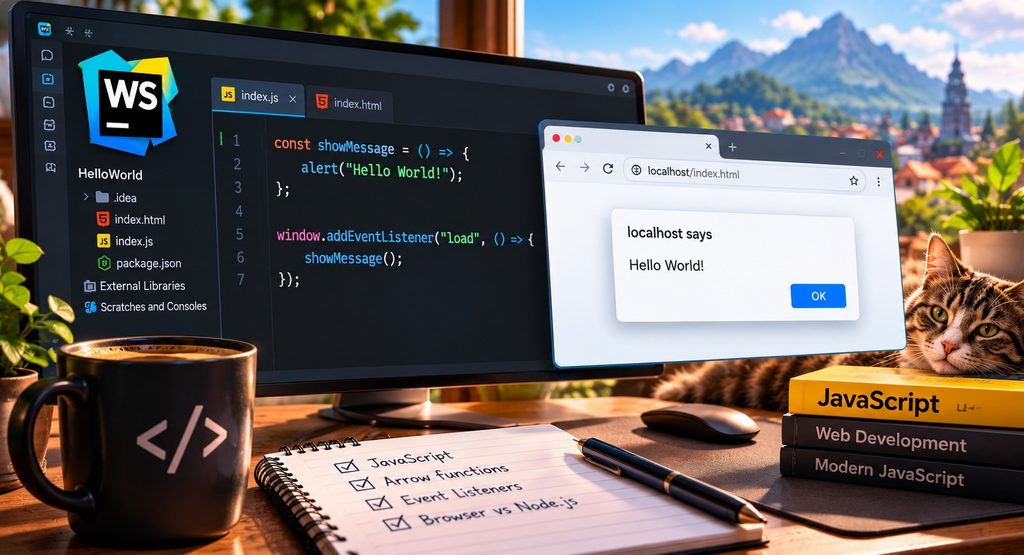
When learning a new programming language, displaying a simple “Hello World!” message is often the first exercise. Although the result might seem trivial, even a few lines of JavaScript can introduce several important programming concepts.
In this tutorial, we will create a small JavaScript application that displays an alert message when a web page finishes loading. Along the way, we will explore arrow functions, constants, event listeners and the difference between executing JavaScript in a browser and running it with Node.js.
Our First JavaScript Application
Let’s start with the following JavaScript code:
const showMessage = () => {
    alert("Hello World!");
};

window.addEventListener("load", () => {
    showMessage();
});
The application performs a simple task. When the browser finishes loading the web page, a dialog box appears containing the message “Hello World!”.
Understanding Arrow Functions
The first part of our code defines a function:
const showMessage = () => {
    alert("Hello World!");
};
In JavaScript, a function is a reusable block of code that performs a particular task.
Traditionally, functions were declared using the function keyword:
function showMessage() {
    alert("Hello World!");
}
Modern JavaScript also supports arrow functions, introduced with ECMAScript 2015, commonly known as ES6.
Our example uses this syntax:
const showMessage = () => {
    alert("Hello World!");
};
Let’s examine the different components.
The const Keyword
The const keyword declares a variable whose binding cannot be reassigned after initialization.
In our example:
const showMessageWe declare a constant named showMessage.
The value assigned to this constant is a function.
An important distinction is that const does not make the function immutable. It simply prevents us from assigning another value to the showMessage variable.
For example, the following code would generate an error:
const showMessage = () => {
    alert("Hello World!");
};

showMessage = 123;
JavaScript does not allow us to reassign a variable declared with const.
The Arrow Operator
The arrow operator is written as:
=>It provides a concise way to define functions.
The parentheses preceding the arrow contain the function parameters.
In our example:
() => {
    alert("Hello World!");
}
() => {
alert("Hello World!");
}The empty parentheses indicate that the function does not require any arguments.
The curly braces contain the statements that will execute when the function is called.
Calling the Function
Defining a function does not automatically execute it.
To execute our function, we must call it:
showMessage();The parentheses are important.
Consider the difference:
showMessage;This expression references the function without executing it.
showMessage();Actually invokes the function.
This distinction becomes particularly important when working with event listeners and callback functions.
Understandin the alert() Function
Inside our arrow function, we use:
alert("Hello World!");The alert() method is part of the browser’s Web APIs.
It displays a dialog box containing a message and an OK button.
For example:
alert("Welcome to my website!");The browser displays the supplied text in a dialog.
The alert() method is useful for introductory exercises and simple demonstrations. However, modern web applications generally avoid using alert dialogs for regular user interactions because they interrupt the user experience. Instead, developers typically display messages directly within the HTML document. For learning purposes, however, alert() is an excellent starting point.
Understanding the window Object
The second part of our application is:
The second part of our application is:

window.addEventListener("load", () => {
    showMessage();
});
To understand this statement, we first need to examine the window object.
In a browser, window represents the browser window or tab containing our web page.
It provides access to numerous browser features, including:
- Browser events
- Timers
- Dialog boxes
- Navigation information
- The document object
- Browser location information
- For example:
For example:
console.log(window.location.href);This statement prints the current page’s URL to the browser’s developer console.
Another example:
window.alert("Hello World!");This is equivalent to:
alert("Hello World!");In a normal browser environment, alert() is accessible through the global window object.
Understanding Event Listeners
JavaScript is widely used to build interactive applications.
Instead of executing every operation immediately, applications often wait for something to happen.
These occurrences are called events.
Examples include clicking a button, pressing a keyboard key, moving the mouse, submitting a form or loading a web page.
JavaScript provides the addEventListener() method to respond to these events.
Its basic syntax is:
element.addEventListener("event", callback);The method accepts two important arguments. The first specifies which event we want to monitor. The second specifies the function that should execute when that event occurs.
Consider our example:
window.addEventListener("load", () => {
    showMessage();
});
Here, we register an event listener on the browser window.
The event we want to monitor is:
"load"The load event fires when the document and its dependent resources, such as images and stylesheets, have finished loading, apart from resources that are deliberately loaded lazily.
Once this event occurs, JavaScript executes our callback function.
Understanding Callback Functions
Our event listener contains another arrow function:
() => {
    showMessage();
}
This function is called a callback. A callback is a function passed to another function so that it can be executed later. In our example, the callback is passed to addEventListener(). JavaScript registers the callback and waits for the browser to dispatch the load event. When that happens, the callback executes:
showMessage();This invokes our previously defined function, which displays the alert.
The complete execution sequence is therefore:
- The browser loads the HTML document.
- JavaScript defines the
showMessagefunction. - JavaScript registers a listener for the
loadevent. - The browser finishes loading the page and its required resources.
- The browser dispatches the
loadevent. - The registered callback executes.
- The callback invokes
showMessage(). - The browser displays the “Hello World!” alert.
This event driven approach is fundamental to modern JavaScript development.
<!DOCTYPE html>
<html lang="en">
<head>
    <meta charset="UTF-8">
    <title>Hello World</title>
    <script src="index.js"></script>
</head>
<body>
    <h1>JavaScript Exercise</h1>
</body>
</html>