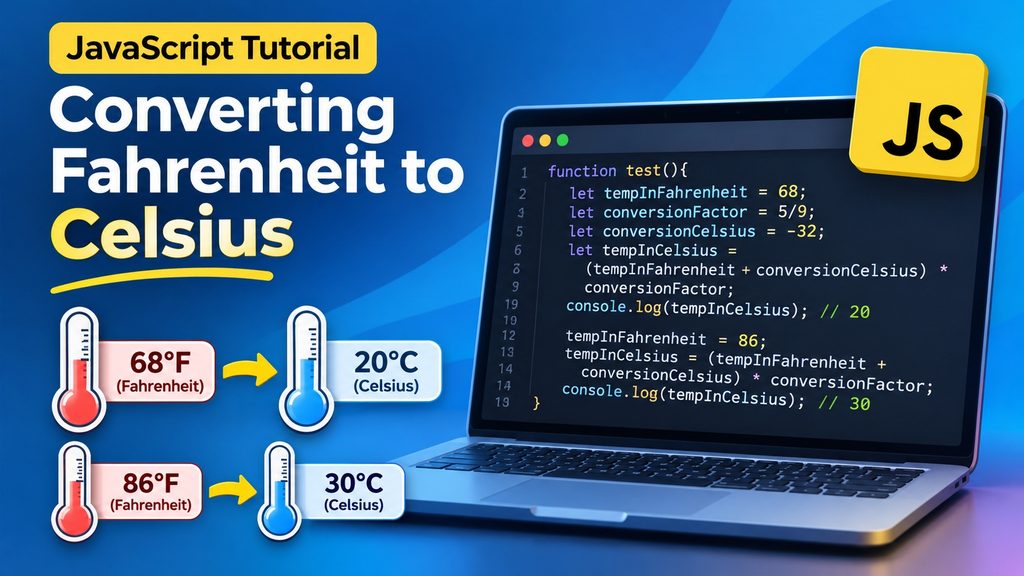
Temperature conversion is a practical example of how JavaScript can perform mathematical calculations using variables and arithmetic operators.
In this tutorial, we will create a simple JavaScript function that converts temperatures from Fahrenheit to Celsius. Along the way, we will explore variable declarations, mathematical expressions, assignment operators, and how to display results in the browser console.
1. Understanding the Temperature Conversion Formula
Fahrenheit and Celsius are two commonly used temperature scales. Celsius is widely used throughout Europe and most of the world, while Fahrenheit is primarily used in the United States. To convert a temperature from Fahrenheit to Celsius, we use the following mathematical formula:
Celsius = (Fahrenheit − 32) × 5 / 9
For example, converting 68°F to Celsius:
Celsius = (68 − 32) × 5 / 9
Celsius = 36 × 5 / 9
Celsius = 20°C
We can implement this calculation directly in JavaScript.
2. The Complete JavaScript Code
Our example uses the following function:
function test(){
    let tempInFahrenheit,tempInCelsius, conversionFactor, conversionCelsius;
    tempInFahrenheit=68;
    tempInCelsius=0;
    conversionFactor=5/9;
    conversionCelsius=-32;
    tempInCelsius=(tempInFahrenheit+conversionCelsius)*conversionFactor;
    console.log(tempInCelsius);
    tempInFahrenheit=86;
    tempInCelsius=(tempInFahrenheit+conversionCelsius)*conversionFactor;
    console.log(tempInCelsius);
}
The function performs two temperature conversions:
- Converts 68°F to 20°C.
- Converts 86°F to 30°C.
The results are displayed using console.log().
To execute the code, we must call the function:
test();3. Declaring Variables with let
The first statement inside our function declares four variables:
let tempInFahrenheit,tempInCelsius, conversionFactor, conversionCelsius;The let keyword declares variables whose values can be changed later in the program.
Each variable has a specific purpose:
| Variable | Purpose |
|---|---|
tempInFahrenheit | Stores the temperature in Fahrenheit |
tempInCelsius | Stores the calculated temperature in Celsius |
conversionFactor | Stores the mathematical factor 5/9 |
conversionCelsius | Stores the offset of −32 |
Notice that we can declare multiple variables using a single let statement, separating their names with commas.
At this point, the variables have been declared but have not yet received values. Their initial value is undefined.
4. Assigning Values to Variables
Next, we assign values to our variables:
tempInFahrenheit=68;
tempInCelsius=0;
conversionFactor=5/9;
conversionCelsius=-32;
JavaScript uses the = operator to assign a value to a variable.
The expression:
conversionFactor=5/9;instructs JavaScript to divide 5 by 9 and store the result in conversionFactor.
The calculated value is approximately:
0.5555555555555556The variable conversionCelsius contains -32, which is the offset required by the temperature conversion formula.
Although we initialize tempInCelsius to zero, this is not strictly necessary because the variable receives its calculated value before it is used.
5. Performing the Temperature Conversion
The most important statement in our function is:
tempInCelsius=(tempInFahrenheit+conversionCelsius)*conversionFactor;This expression performs the actual conversion.
Let’s examine how JavaScript evaluates it.
First, JavaScript calculates the expression inside the parentheses:
(68 + -32)The result is:
36Next, JavaScript multiplies the result by the conversion factor:
36 * (5/9)The result is:
20Finally, JavaScript assigns the calculated result to tempInCelsius.
Why are parentheses important?
Parentheses control the order of mathematical operations.
Without parentheses, JavaScript would perform multiplication before addition, producing an incorrect result for our temperature conversion.
6. Displaying the Result with console.log()
Once the temperature has been converted, we display the result:
console.log(tempInCelsius);The console.log() method writes information to the JavaScript console.
For our first calculation, the console displays:
20You can open the browser’s developer tools, usually by pressing F12, and select the Console tab to view the output.
This is particularly useful when learning JavaScript because it allows us to inspect variable values and verify calculations.
7. Reusing Variables for a Second Calculation
Our function continues with a second temperature conversion:
tempInFahrenheit=86;
tempInCelsius=(tempInFahrenheit+conversionCelsius)*conversionFactor;
console.log(tempInCelsius);
Notice that we do not declare the variables again.
Instead, we assign a new value to tempInFahrenheit.
The mathematical calculation becomes:
(86 - 32) * (5/9) = 30The console displays:
30This demonstrates an important characteristic of variables declared with let: their values can be reassigned during program execution.
8. Expected Console Output
When we execute the complete function, the JavaScript console displays:
20
30
The first result corresponds to 68°F, while the second corresponds to 86°F.
Both conversions use the same formula and the same variables.
9. Improving the Code with a Reusable Function
Our original example works correctly, but we can make the code more flexible.
Instead of assigning temperatures inside the function, we can pass a Fahrenheit temperature as a parameter.
function fahrenheitToCelsius(fahrenheit) {
    const conversionFactor = 5 / 9;
    const conversionOffset = 32;

    return (fahrenheit - conversionOffset) * conversionFactor;
}

console.log(fahrenheitToCelsius(68));
console.log(fahrenheitToCelsius(86));
This version introduces several useful programming concepts.
Function parameters
The fahrenheit parameter allows us to supply different temperatures whenever we call the function.
The const keyword
We use const for values that should not be reassigned during execution.
The return statement
Instead of displaying the result directly inside the function, return sends the calculated value back to the calling code.
This makes our function more reusable because the result can be displayed, stored in another variable, or used in additional calculations.
For example:
let roomTemperature = fahrenheitToCelsius(72);

console.log(roomTemperature.toFixed(2));
The output is:
22.22The toFixed(2) method formats the result with two digits after the decimal point. It returns a string containing the formatted number.
10. What Have We Learned?
In this tutorial, we have explored several fundamental JavaScript concepts:
- Declaring variables using the
letkeyword. - Assigning and reassigning values.
- Performing mathematical calculations using arithmetic operators.
- Using parentheses to control calculation order.
- Displaying results with
console.log(). - Reusing variables for multiple calculations.
- Creating reusable functions with parameters and return values.
- Using
constfor values that should remain unchanged.
Conclusion
Converting Fahrenheit to Celsius is a simple but effective exercise for learning JavaScript. Although the calculation itself is straightforward, the example demonstrates several important programming principles that apply to much larger applications. By transforming our original code into a reusable function, we also introduce the concept of writing modular code that can be used repeatedly without duplicating calculations.